Rebuilding a website you already have is a different job from building a new one. You already know what's wrong with it. You see it every time a customer says "I couldn't find your price" or "is this still your number?"
The hard part is turning that into a brief.
Why rebuild briefs go wrong
Ask a business owner to write a brief for their redesign, and you usually get something like "make it more modern" or "cleaner, like our competitor's". That isn't wrong. It's just not something anyone can build from.
So the designer guesses. The first draft misses. The owner explains again, in more detail, and a few rounds go by before the real problems are on the table.
Meanwhile, the old site is still live, still out of date, and nobody wants to touch it because "the new one is coming".
Start by pointing, not writing
The most useful brief you have is already here: your current website. You just need a way to point at it.
Here's how we run a rebuild:
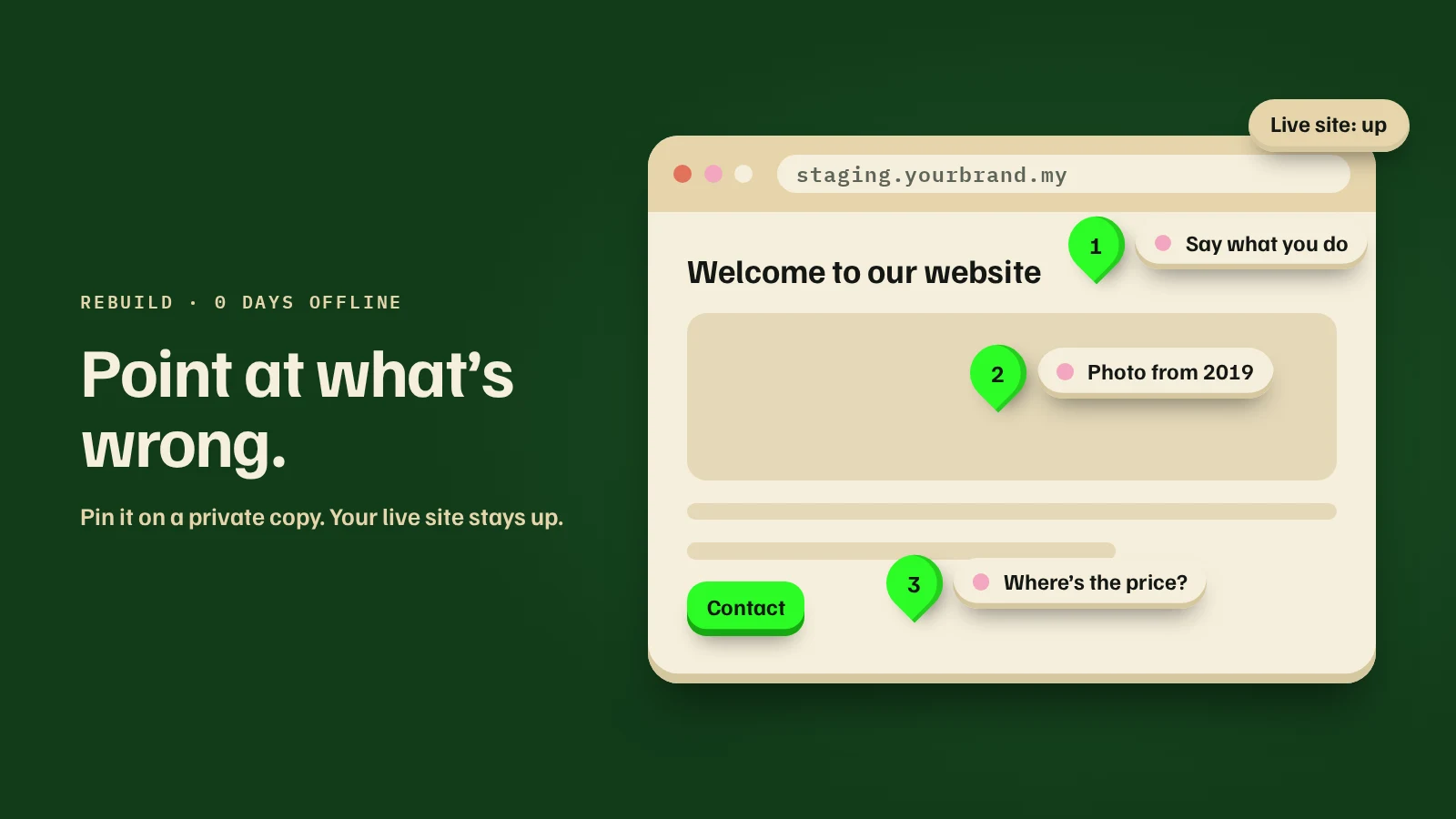
- We copy your current site to a private staging link. Only you and your team can see it. Your live site isn't touched.
- You pin comments on anything that bothers you. Click the spot and type. "Nobody finds this page." "This price is from last year." "This photo is from 2019." "Customers always ask where we're located." There's no form to fill in: say it however you like.
- Those pins become the brief. We sort them into fixes, changes and new work, and send you a fixed quote before we build anything new.
- We rebuild on the same staging link. You keep pinning comments on the new version, as often as you need during the comment period. We apply them at lunch and in the evening, so you see changes the same day.
- Your live site stays up the whole time. On launch day we switch over. Customers never see a "coming soon" page.
It's quicker than it sounds. Pointing at a problem takes a few seconds. Describing it well in a brief takes most people an afternoon.
What to keep from your old site
A rebuild shouldn't throw away what already works. Before switching over, check that you keep:
- Your web addresses. If a page moves, its old address should redirect to the new one, so links from Google, Facebook and old WhatsApp messages still land somewhere.
- Pages people already find on Google. Keep the content that brings visitors, and improve it, rather than deleting it.
- Your contact details, written the same way as on your Google Business Profile.
- Reviews and past work that still make you look good.
- Any tracking you use, such as your ad pixel, so your numbers don't reset.
Do you need a rebuild, or a few fixes?
Not every tired website needs rebuilding. If the problem is that nobody enquires, it may only need a tappable phone number, a WhatsApp button and a clear first line. Start with 7 fixes for a website that gets visitors but no enquiries.
A rebuild makes sense when:
- You can't edit it yourself, and every small change waits on someone else
- It looks wrong on a phone
- Your business has changed, and the site still describes the old one
- The list of fixes is longer than the list of things that work
What you get at the end
A new site, built on top of what you told us was wrong, that you watched take shape. Your live site never went offline. And you get 14 days of free fixes after launch.
If your site is due for a rebuild, get your website plan for a rebuild. It starts with a few questions about your current site, and you can see a price range before any call.