Types of website for a business: which one do you need?
Landing page, company website, online store or something custom. Pick the right one by asking where your visitors will come from.
Most business owners ask "how much is a website?" before they ask "what kind?". That's how people end up paying for five pages when they needed one, or a blog they never write in.
There are five common types of website. The easiest way to choose is one question: where will your visitors come from?
The short answer
Where will most of your visitors come from in the next 6 months?
- "From my ads or my bio link." A landing page.
- "From Google, or people looking me up." A company website.
- "From Google, and I'm willing to write." A website you can edit.
- "From my socials and repeat buyers." Your own online store.
- "They'll log in and use it." A custom web system.
Here's what each one is for, and when to skip it.
1. Landing page
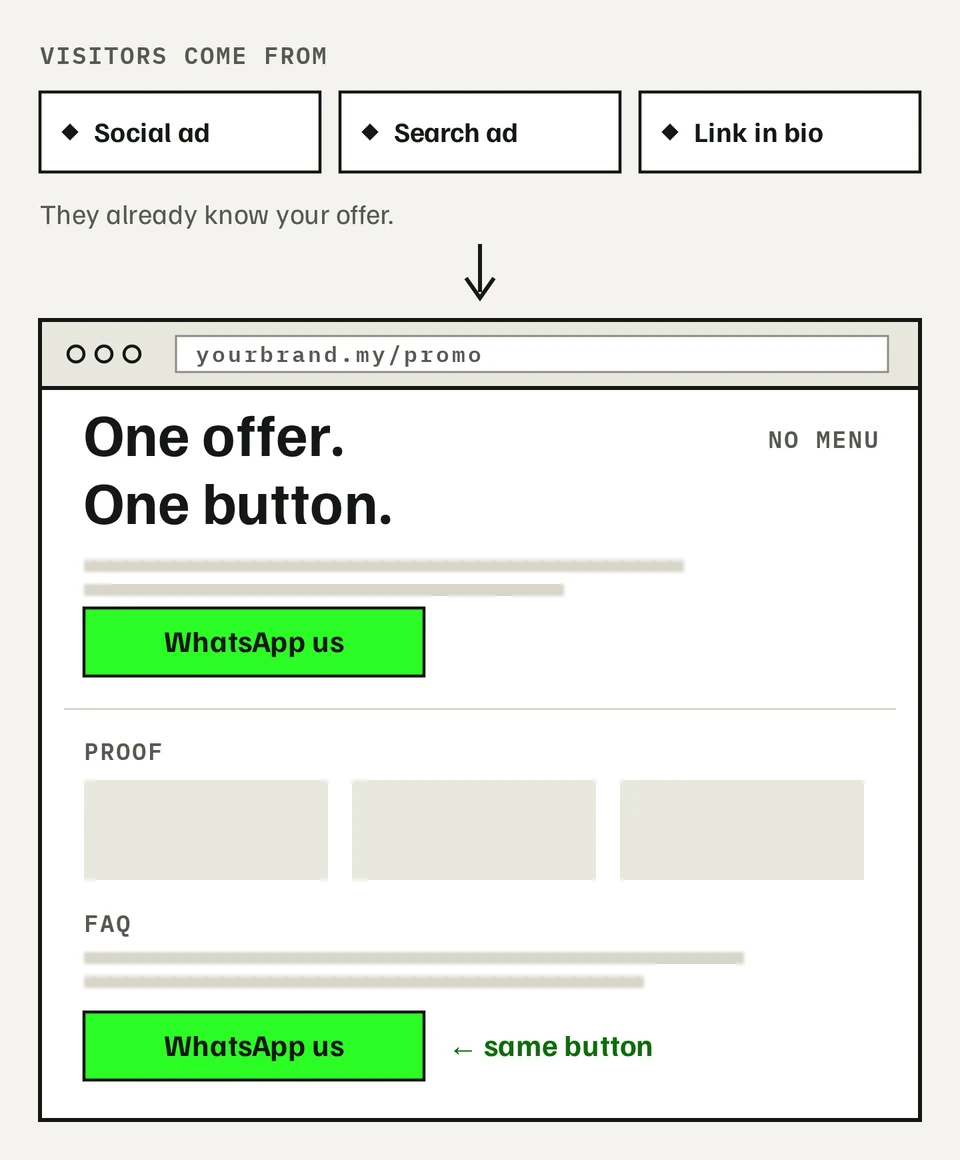
One page, one offer, one action. Visitors arrive from an ad on Meta, TikTok or Google, or from the link in your bio. They already know roughly what you sell. The page's only job is to get them to enquire, book or buy.
Your biggest worry here is wasting ad money. A landing page helps because there's no menu to wander off into. Every section leads to the same button, usually a form or WhatsApp.
You don't need to worry about Google search. Your visitors come from ads you paid for, not from searching.
Good fit if:
- You're running a promo, a launch or an event
- You want to test an idea before building more
- You send ads to your homepage and the enquiries don't come
Skip it if: people mostly find you by searching on Google. One page won't rank well for many searches.
2. Company website (up to 5 pages)
This is what most people mean by "a website". Home, services, about, your work or reviews, and contact. Visitors come from Google search, from Google Maps, or from a friend who said "check them out".
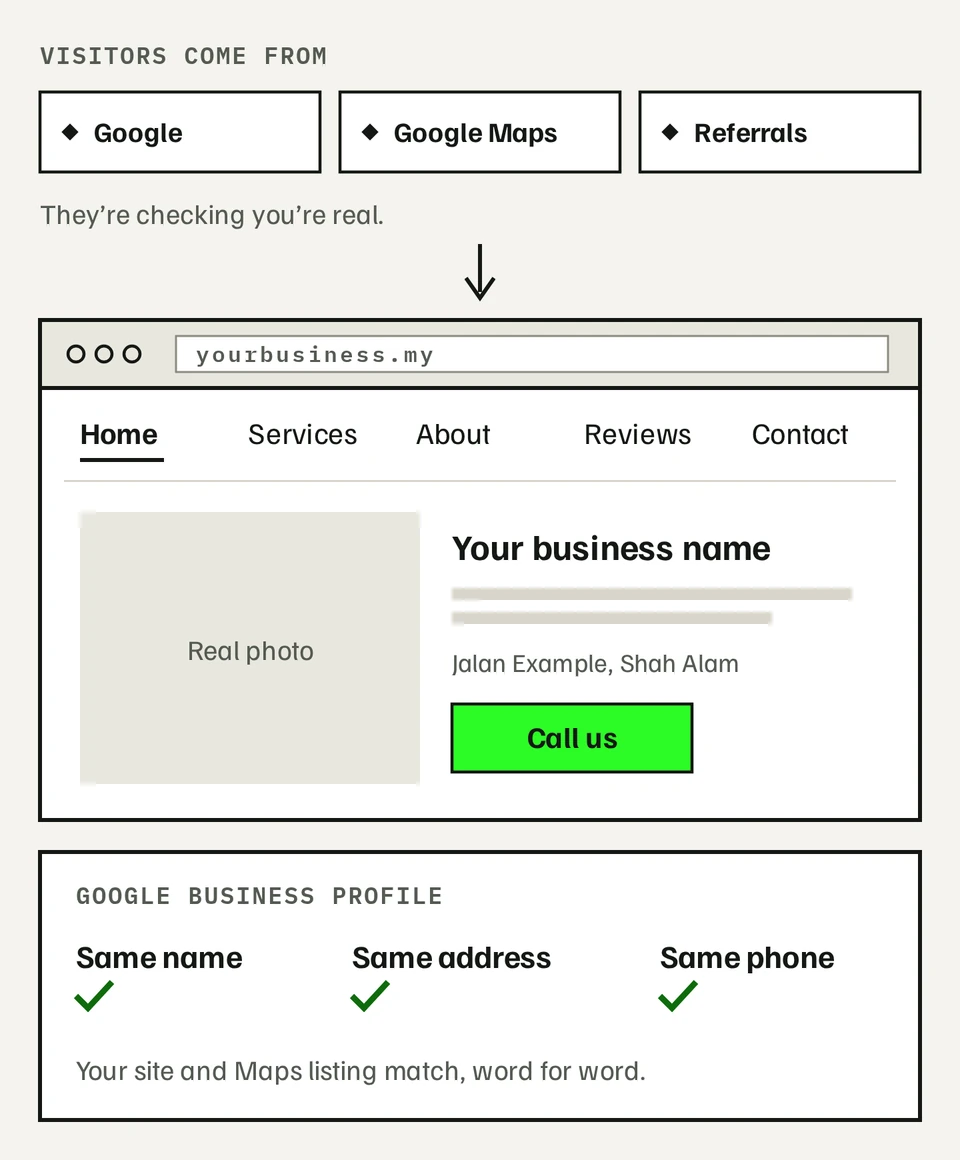
Their question is simple: are you real, and can I trust you? Your worry is the same one in reverse: not looking legit. A clean site with your real address, real photos and a working contact form answers that.
For local businesses, the website works as a pair with your Google Business Profile (the listing that shows on Maps). It's free and often the first thing people see. Keep your business name, address and phone number the same on both.
Good fit if:
- You run a local service business: a clinic, workshop, tuition centre or contractor
- Customers often ask "do you have a website?"
- Referrals look you up before they call
Skip it if: all your customers come from ads. Start with a landing page instead.
3. A website you can edit
A company website with a blog or case studies that you update yourself, without paying a developer each time. Visitors arrive slowly through Google, by searching for questions your articles answer.
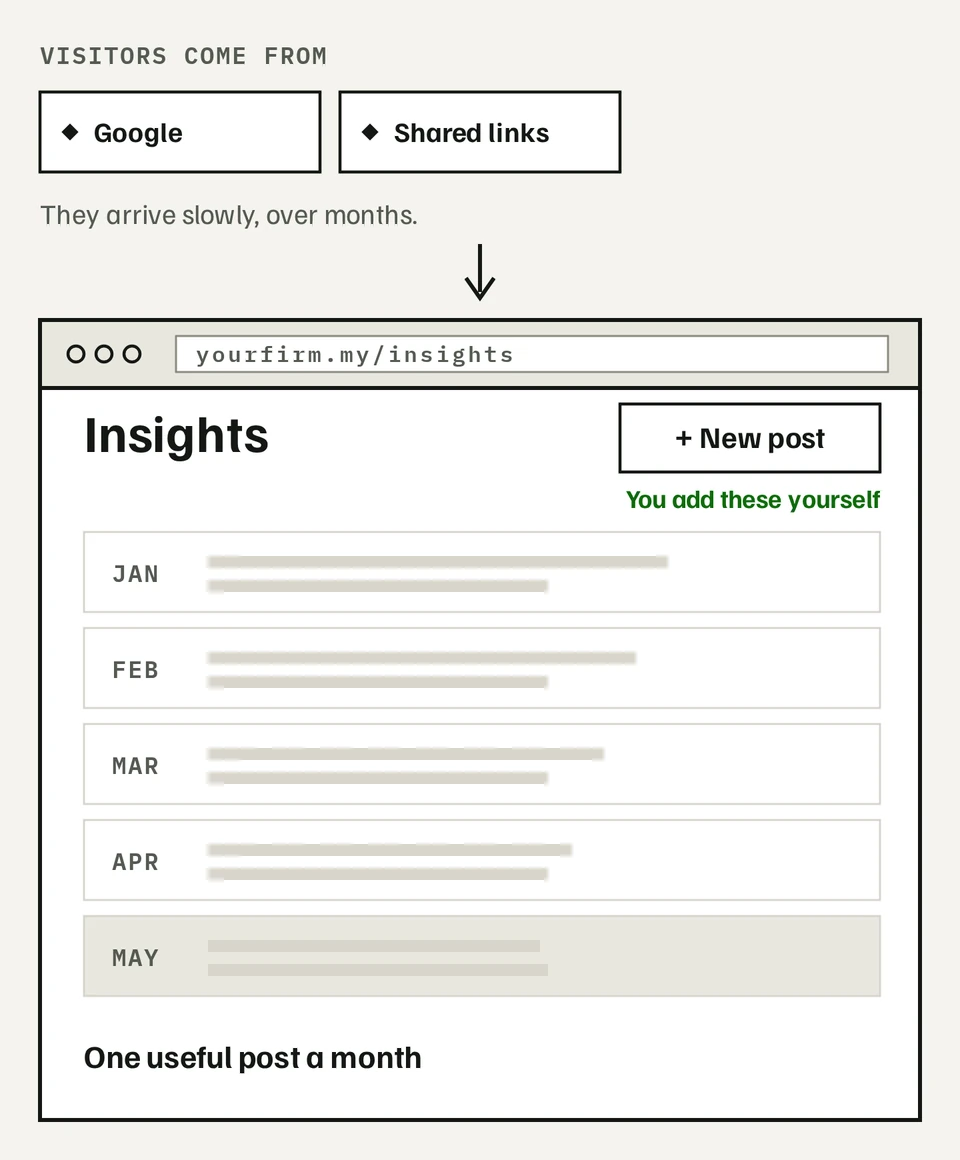
This suits consultants, B2B firms and agencies, where buyers research before they get in touch. Your worry is paying for every small update. Here, you add posts and projects yourself.
The honest trade-off: it only works if you publish. A blog with two posts from 2024 looks worse than no blog. Plan for one useful post a month, and expect a few months before search traffic shows up.
Good fit if:
- Your customers compare options for weeks before buying
- You can explain your work in writing, or have someone who can
- You want to stop waiting on a developer for every change
Skip it if: you know you won't write. A company website will serve you better.
4. Your own online store
A shop on your own web address, with products, cart, payment and delivery. Visitors come from your social media, your ads and customers who bought before.
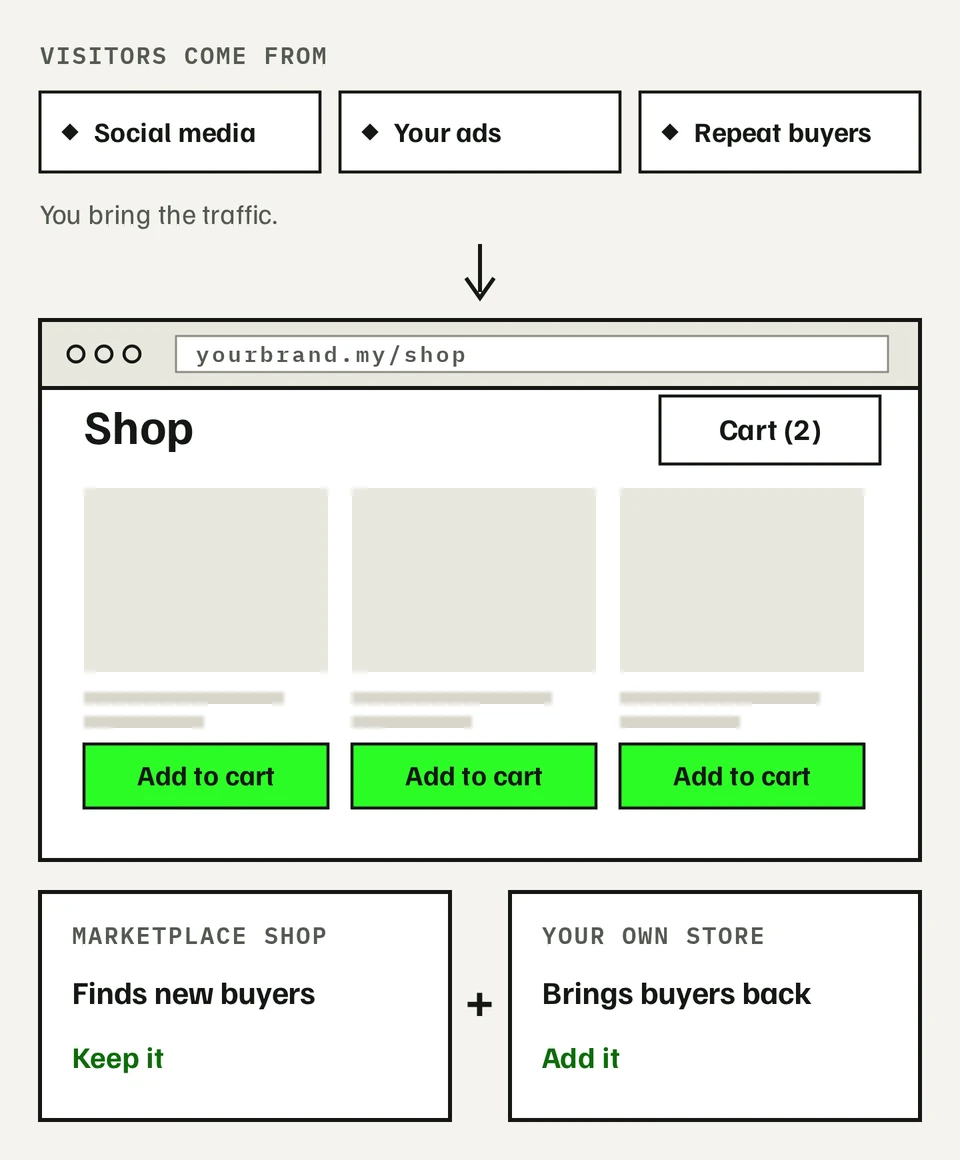
This suits brands already selling on Shopee, Lazada or Instagram. The worry is usually two things: marketplace fees on every order, and not owning your customer list.
You don't have to choose one or the other. Keep your marketplace shop and add your own store. The marketplace is good at finding new buyers. Your store is where repeat buyers come back, and where you keep their contact details for the next launch.
The trade-off: a marketplace brings its own shoppers. Your store doesn't. You bring the traffic through social, ads or your customer list. And on your own store, good product pages do the selling: clear photos, sizes, delivery time and return policy.
Good fit if:
- You already have repeat buyers
- You sell through Instagram or TikTok and close orders in DMs
- You want your brand to look like more than a marketplace listing
Skip it if: nearly all your sales come from marketplace search, and you don't run ads or post on social yet.
5. Custom web system
Anything where people log in or do something on your site beyond reading: memberships, online courses, bookings, or a marketplace with buyers and sellers. Your visitors are your own users and community.
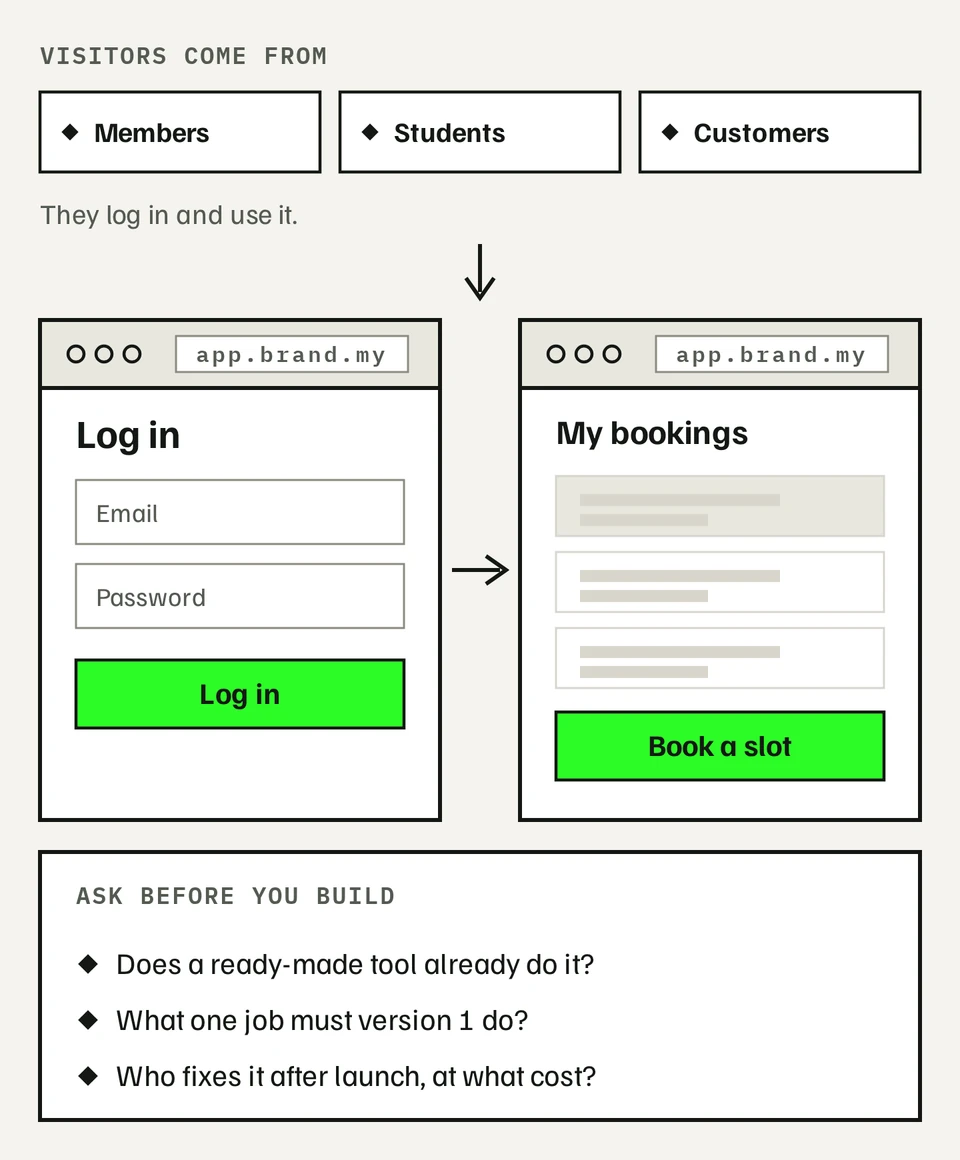
The worries here are bigger. Will it hold up as you grow? Who fixes it when something breaks? Ask both before you start.
Three things we tell every client at this size:
- Check if a ready-made tool already does it. A booking app or course platform might cover most of what you need for a monthly fee.
- Build a first version that does one job well. Add features once real users ask for them.
- Agree on support before launch. Know who fixes problems and what that costs each month.
Good fit if: the website is part of how you deliver your service, not just how you advertise it.
Skip it if: what you really need is a page that explains your offer. Start smaller.
If your answer is a mix
Pick the type that matches where most visitors come from today, not where you hope they'll come from in two years. You can grow later. Plenty of businesses start with a landing page and add a full site once the offer is proven.
Prices change, so we keep them in one place: Services. Not sure which type is yours? Get your website plan: 6 questions, and it suggests one.